¶ About
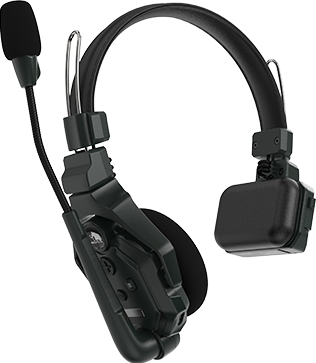
The Hollyland Solidcom C1 Headsets are wireless communication headsets used primarily in conjunction with the Solidcom C1 Hub. There are two types of headset that we own, Remote, and Master.
¶ Remote Headset
The remote headsets have a blue label under the buttons, and typically have a number sticker on the opposite side. These can be used either with a Hub or with a Master headset.
¶ Master Headset
The Master headset allows up to 7 Remote headsets to connect to it, for a total of 8 headsets. It should have a red label and an "M" sticker.
¶ Pairing
If you are using the Hub, see the dedicated pairing section on its page.
To pair a remote headset with a master headset:
- Turn both headsets on, and any others you expect to be connected to the master, whether they are paired yet or not.
- Hold down the "A" button on the Master headset and the Remote headset you wish to pair.
- The lights by the microphones on both headsets should start flashing green quickly, let go of the button when this happens.
- After a few seconds, both headsets should start flashing slower, then eventually go solid once connected.
- To pair additional headsets, repeat steps 2-4, making sure that any headsets that you have already paired remain powered on and in range, otherwise they may get un-paired when a new headset is paired.